- Built in Denmark
- Hosted in the EU · 100% GDPR compliant
Had a thought? Say it before it's gone.
Press record, say what's on your mind and get on with your day. NoteClearly writes it down for you. It can also tidy it into a clear note, give it a title and tags, and pick out anything you need to do.
- No credit card required
- Cancel anytime
See what a quick thought turns into.
Pick an example and watch it go from rambling to a finished note. No sign-up needed.
Okay so, um, idea for the app. What if the shopping list was shared, like, between everyone in the house? And when someone's at the shop they tick stuff off and everyone sees it straight away. Oh and it should, uh, remember what we buy every week so you don't have to type milk every single time. I should ask Sara if she'd actually use it.
App idea: a shared shopping list
A shopping list everyone in the house shares.
- Whoever is at the shop ticks things off, and everyone sees it straight away.
- It remembers what we buy every week, so regulars like milk don't have to be typed again.
To-dos
Right, things for tomorrow. Uh, call the dentist and move the appointment, it clashes with the, the school thing. Pay the electricity bill, I think it's due Friday. And, um, email Jonas the slides before ten. Oh, and buy a birthday card for Mum.
Things for tomorrow
- Move the dentist appointment: it clashes with the school event.
- Pay the electricity bill (due Friday, I think).
- Email Jonas the slides before 10.
- Buy a birthday card for Mum.
To-dos
Just got off the phone with Lena from Halvorsen. So, they want to go ahead, but, um, they need the start pushed to March because of their audit. The budget stays the same. She asked if we can send a revised plan by Wednesday, I'll do that. Oh, and they still haven't decided who owns the rollout on their side. She'll get back to me on that.
Call with Lena, Halvorsen
Halvorsen want to go ahead.
- Start: moved to March because of their audit.
- Budget: unchanged.
- Open: who owns the rollout on their side. Lena will get back to me.
To-dos
Now try it with your own voice.
Start freeFrom a quick thought to a note you can use.
Saying it takes you a few seconds. NoteClearly does the writing and keeps it where you'll find it again.
- 01 · Record
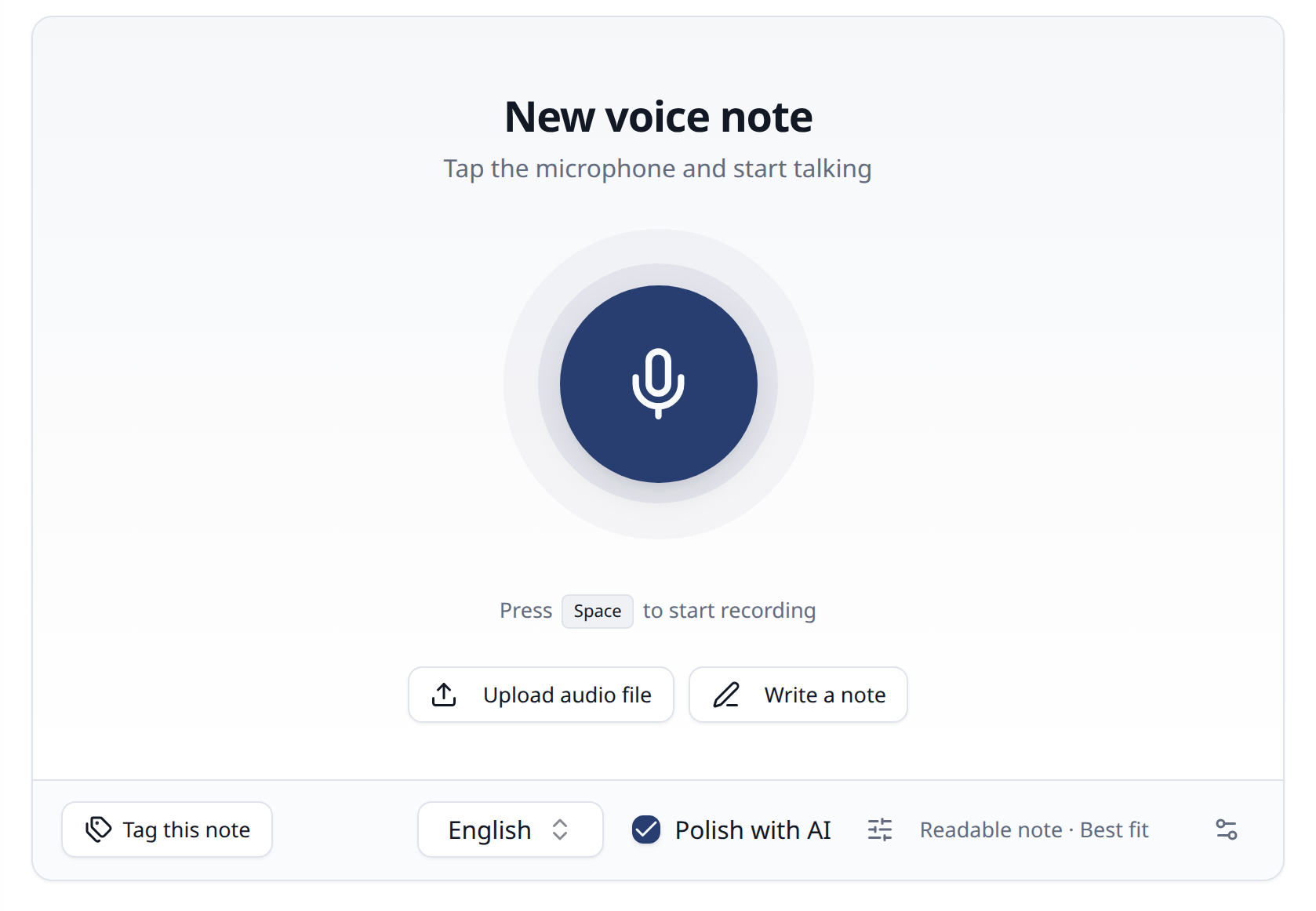
Press record. Say it.
One tap and you're recording, in the browser on your phone or computer. The recording is saved as you speak, so a closed tab or a lost connection doesn't lose the thought. It works in many languages, and you can upload an audio file too.
- 02 · Polish
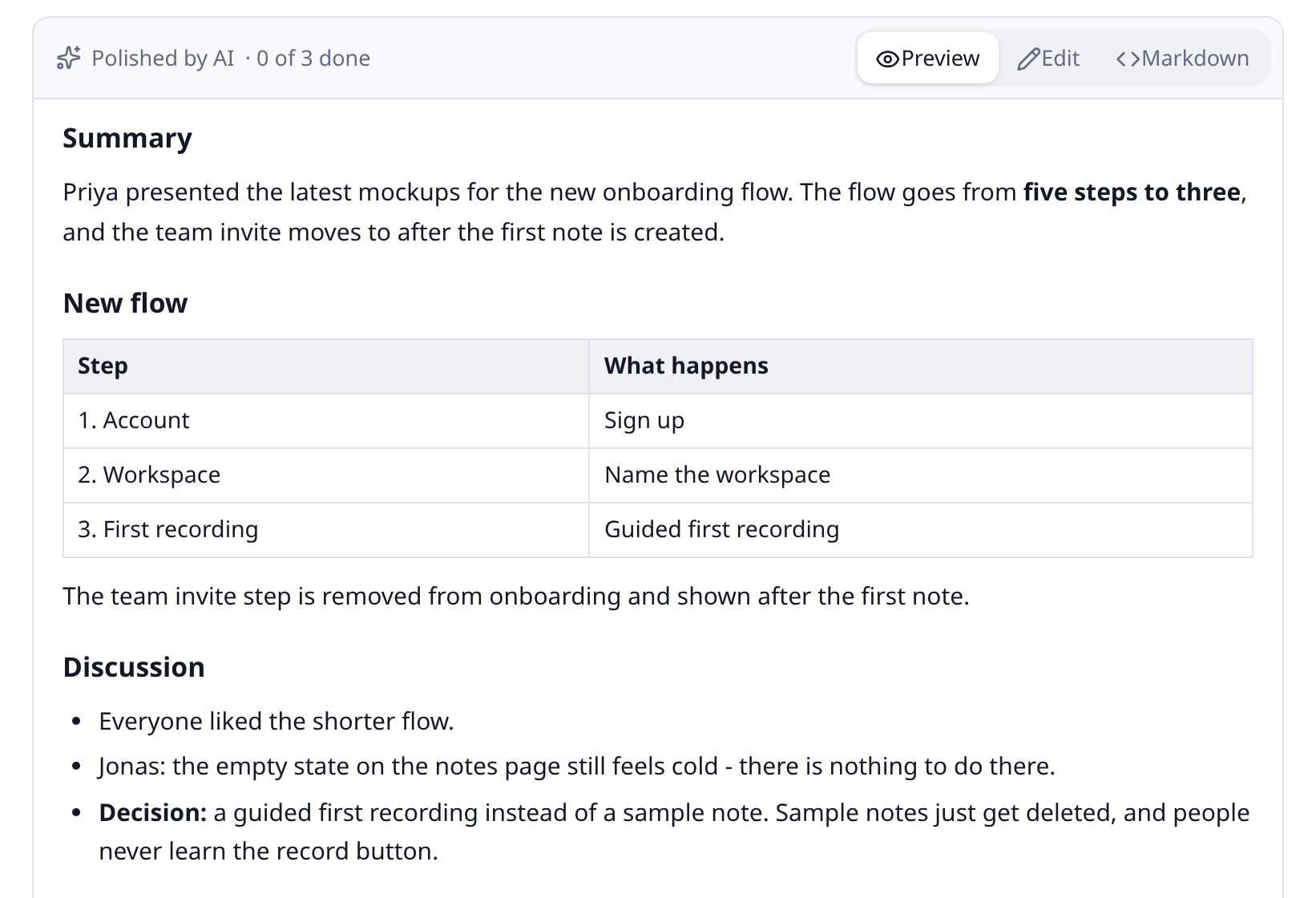
Get a note, not a transcript.
Half-finished sentences and "um"s become a tidy note, with headings and lists where they help. Keep your own words or have it rewritten to read well. Your original transcript is always kept.
- 03 · Key points
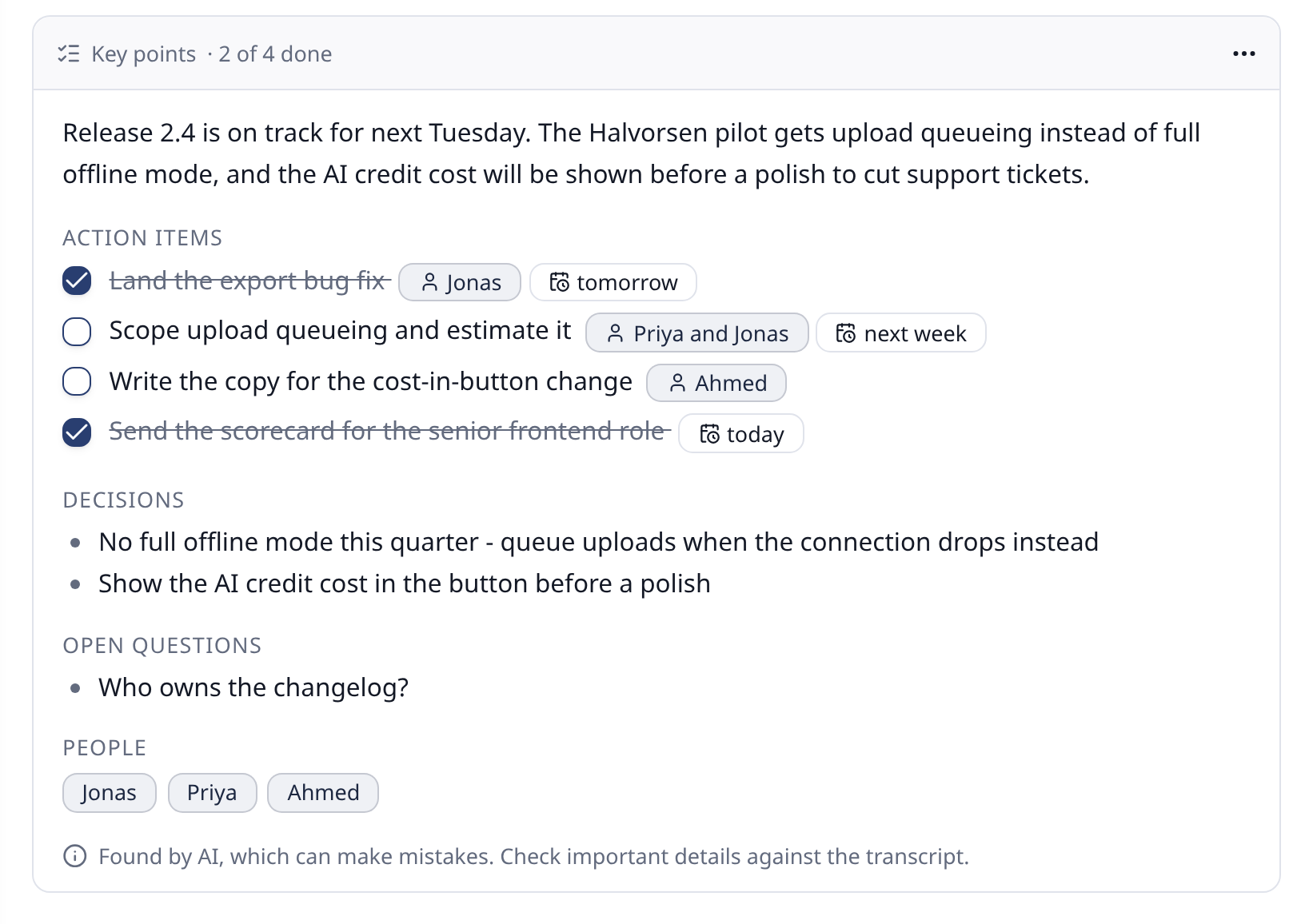
To-dos, picked out for you.
"I need to call Anna on Friday" ends up on your list of action items, with who and when. Decisions and open questions are picked out too.
- 04 · Create
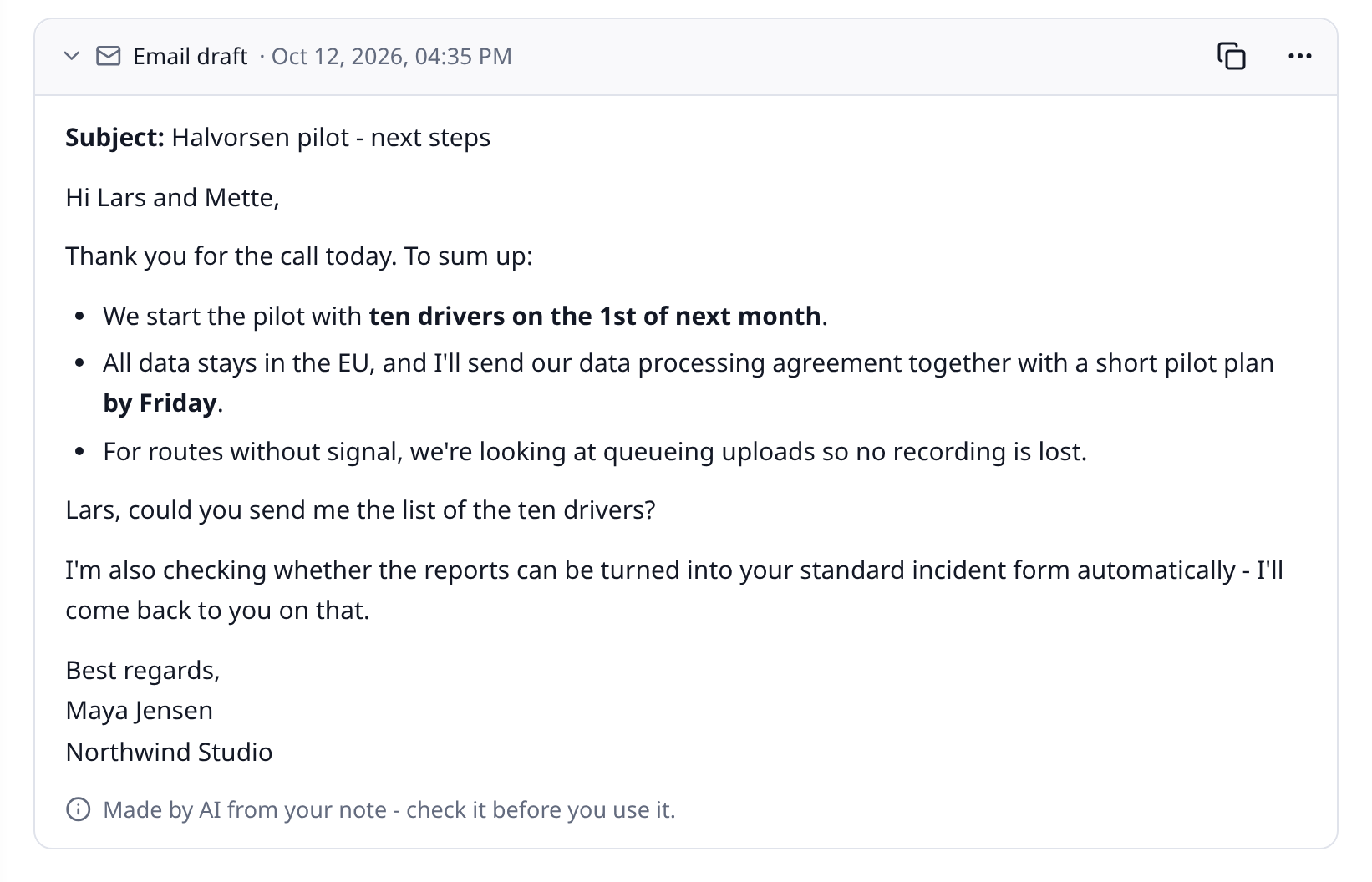
Turn it into an email.
Or a summary, a post, minutes or a translation. Use one of ours or write your own template.
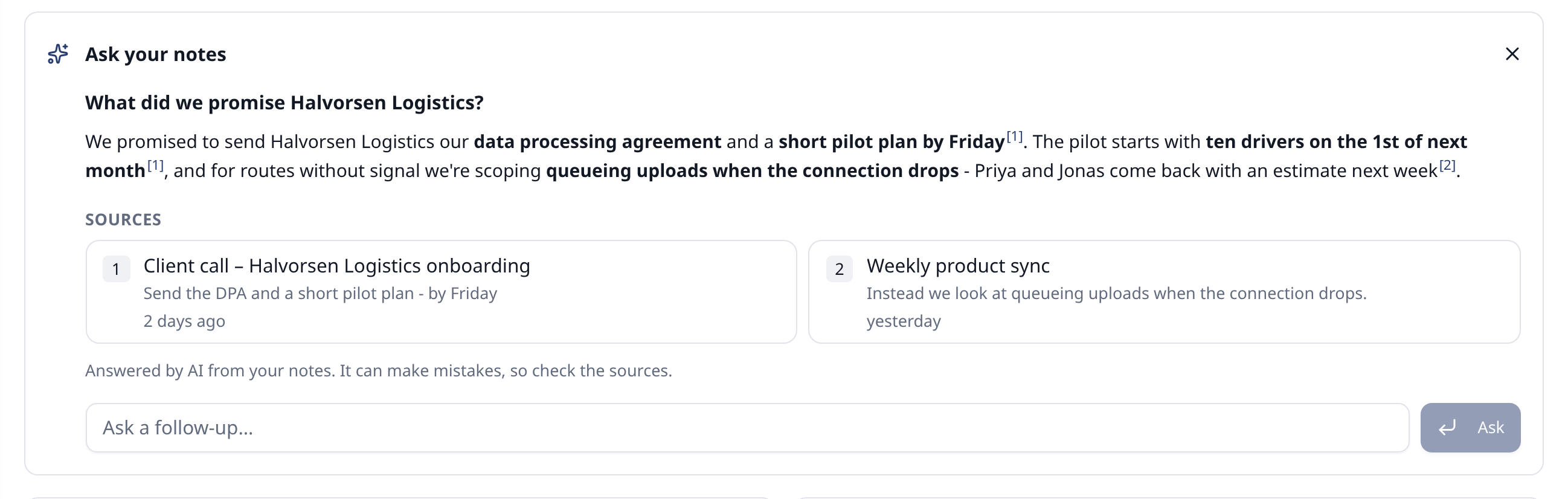
- 05 · Ask
Find it again months later.
Search for what you meant, not the exact words you used. Or ask a question and get an answer from your own notes, with links to the notes it came from.
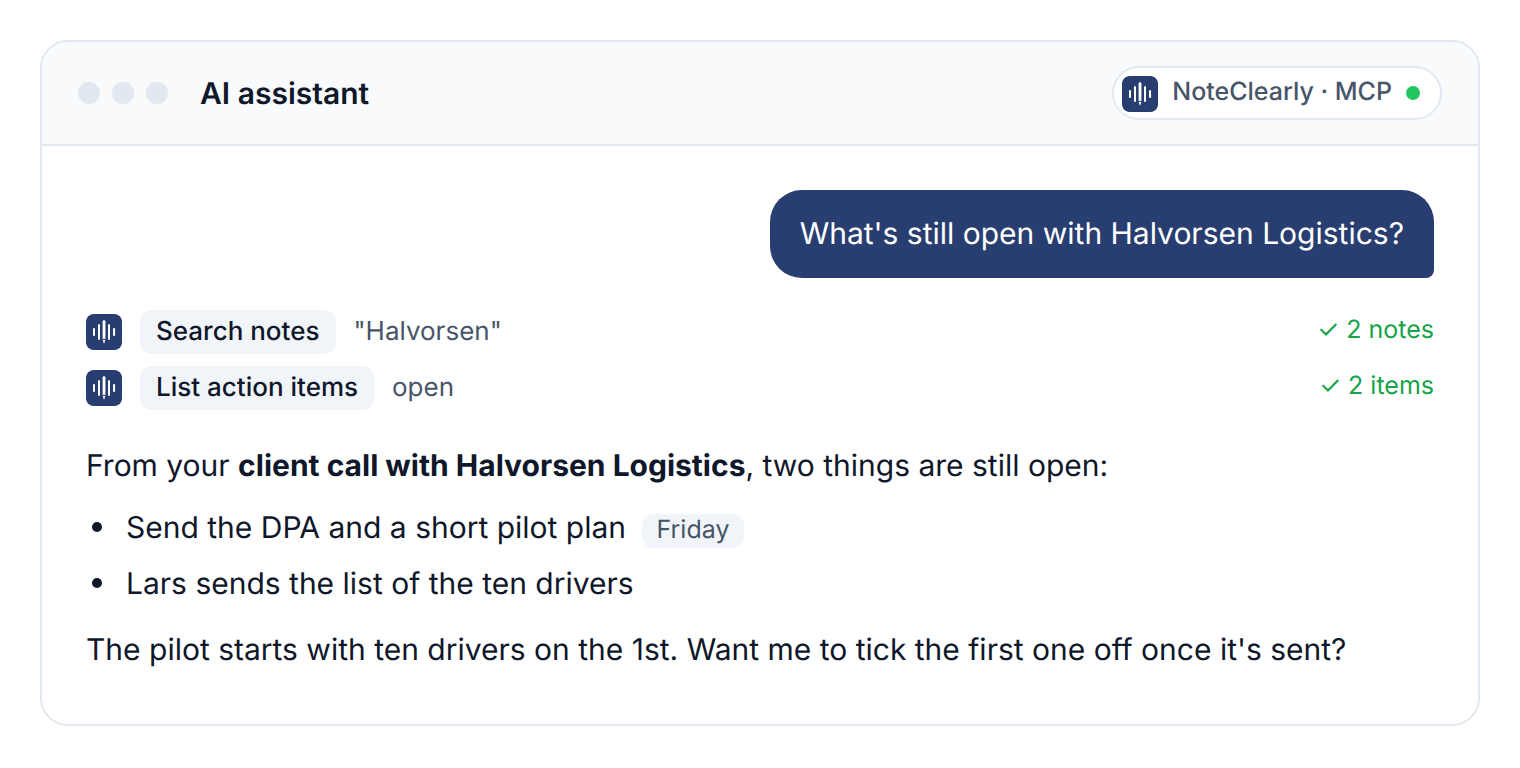
- 06 · Assistant
Use them in your AI assistant.
Connect Claude on the web or desktop, Claude Code, OpenAI Codex, Cursor, VS Code or another MCP-compatible assistant. It can search and read your notes and, if you allow it, save new ones and tick off to-dos.
Start free, pay when you record more.
The free plan includes 120 minutes of transcription a month.
Free
Try voice notes for yourself
€0Free foreverDKK 0Free forever- Transcription per month
- 120 min
- Max length per recording
- 10 min
- AI credits per month
- 10
- Users
- 1
About 12 ten-minute recordings a month
- Notes synced across your devices
- Most features included
Create a free account(Free)No credit card required
- Recommended
Basic
For you - and one more, like your partner
€12per month, excl. VATBilled monthly€10per month, excl. VATBilled yearlyYou save €24 a yearDKK 89per month, excl. VATBilled monthlyDKK 74per month, excl. VATBilled yearlyYou save DKK 180 a year- Transcription per month
- 1,200 min
- Max length per recording
- 60 min
- AI credits per month
- 1,500
- Users
- 2
About an hour every workday
- Notes synced across your devices
- Upload existing recordings
- Your own templates
- Weekly digest
- Every feature included
Get started(Basic)Cancel anytime
Advanced
For small teams and families
€39per month, excl. VATBilled monthly€32per month, excl. VATBilled yearlyYou save €84 a yearDKK 290per month, excl. VATBilled monthlyDKK 240per month, excl. VATBilled yearlyYou save DKK 600 a year- Transcription per month
- 4,000 min
- Max length per recording
- 120 min
- AI credits per month
- 5,000
- Users
- 10
About 3 hours every workday
- Notes synced across your devices
- Upload existing recordings
- Your own templates
- Weekly digest
- Every feature included
Get started(Advanced)Cancel anytime
Pro
For organizations that record a lot
€119per month, excl. VATBilled monthly€99per month, excl. VATBilled yearlyYou save €240 a yearDKK 890per month, excl. VATBilled monthlyDKK 740per month, excl. VATBilled yearlyYou save DKK 1,800 a year- Transcription per month
- 12,000 min
- Max length per recording
- 120 min
- AI credits per month
- 15,000
- Users
- 50
About 10 hours every workday
- Notes synced across your devices
- Upload existing recordings
- Your own templates
- Weekly digest
- Every feature included
Get started(Pro)Cancel anytime
Common questions
What is NoteClearly?
NoteClearly is for getting a thought down before it's gone. You press record and say it, and NoteClearly writes it down. It can tidy it into a clear note, add a title and tags, pick out to-dos and turn it into an email or a summary. You can also upload audio or type a note.
Which languages does it understand?
It transcribes recordings in many languages. It can detect the language on its own, or you can choose it yourself.
Will the AI change what I said?
It tidies up and restructures what you said. Like any AI it can make mistakes, so your original transcript is always kept beside the polished note, and you can undo a polish. Check anything important.
Who can see my notes?
Only you. You can invite colleagues to your organization, but everyone's notes stay private to them - unless you share a read-only link to a note yourself.
Can I change or cancel my plan anytime?
Yes. Upgrade, downgrade or cancel at any time from your billing settings.
Can I share my plan with my partner or family?
Yes. Invite them to your organization, up to your plan's number of users - Basic has room for two of you. Each person gets their own sign-in and their own private notes, and you share the month's minutes and AI credits.
Can I use it with my AI assistant?
Yes. On every plan, including Free, you can connect Claude (on the web, desktop or in Claude Code), OpenAI Codex or another MCP-compatible assistant, or use the REST API, with an API token.
Is my data secure and GDPR compliant?
Yes. Audio is deleted once it is transcribed, we process only the data needed to run the service, apply automatic data retention, and never sell your data. See our privacy policy for details.